Custom integration software for tools, equipment, payments, and operations
Codebytes builds software that connects POS systems, payment workflows, hardware, equipment, databases, and internal business tools.
Integration projects are useful when staff are forced to bridge systems manually or when existing tools need to work together in a real operational environment.
The goal is to connect the right pieces reliably instead of replacing systems that still have value.
In operation: Klarity Car Wash
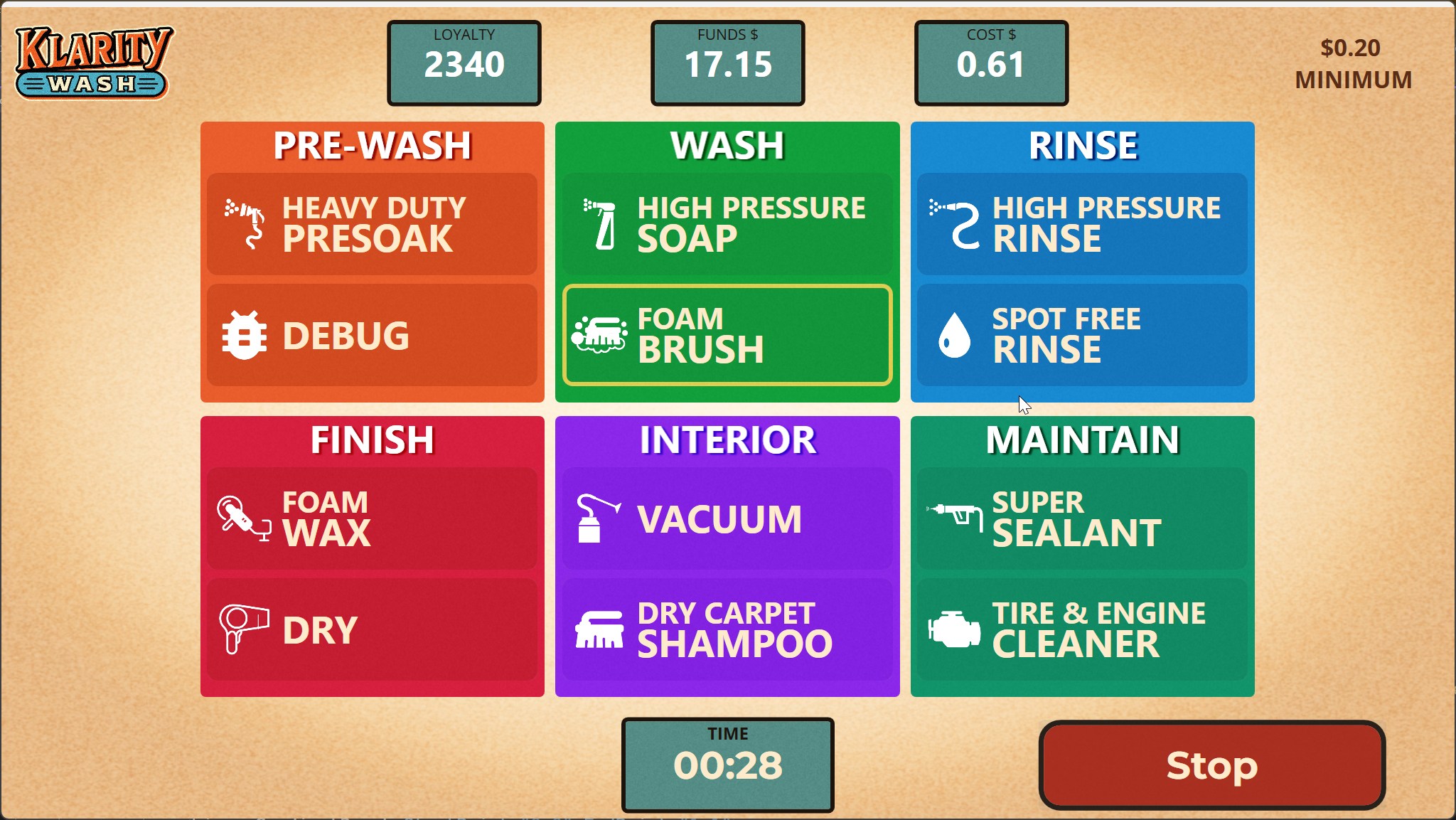
A customer pays at a terminal or uses an account, the software records the transaction, and the selected wash service activates. Klarity’s system connects the customer interaction to the physical equipment that delivers the service.
Codebytes built the replacement around the existing wash controls and payment hardware. A paid demonstration of one hardware connection preceded the full project. The finished platform also coordinates staff POS, accounts, invoicing and reporting.
Software in the physical car wash, connecting customer choices, payments and wash services.
The useful solution may automate preparation while retaining a supported manual step. Depot Dash could not obtain the intended automatic customer-payout connection through the providers considered.
Codebytes built an export that the client could import into its bank to send e-transfers in bulk. The software prepared the payment file, leaving the bank import with the client.
Integration work is often valuable when the business already has tools that do part of the job, but the handoff between them is slow, manual, unreliable, or invisible.
A custom integration may help when:
Payment status needs to sync into customer, job, or admin records
POS data needs to connect to reporting, inventory, accounts, or operations
Hardware or equipment needs to be controlled, monitored, or connected to software
Staff copy data between systems that should share information
An old system or device needs to be preserved while the surrounding workflow is modernized
What the system can include
Integration projects can include API connections, payment flows, POS data sync, hardware control, relay boards, equipment status, reporting exports, admin dashboards, customer records, and replacement interfaces around existing infrastructure.
These projects need careful testing because the software has to work reliably in the business environment, not just in a browser demo.
Connect payment state to customer accounts, job records, admin tools, reporting, or operational steps.
POS Connections
Use POS data where the business needs it: accounts, reporting, fulfillment, customer records, or operations.
Hardware Integration
Connect software to equipment, relay boards, kiosks, devices, or existing operational infrastructure.
Modernization
Preserve useful infrastructure while replacing fragile software, manual handoffs, or unsupported tools.
Ready to talk through the workflow?
Describe what you want to happen, the systems or equipment involved and what you need to keep. We can investigate the connections and explain a practical first step.