
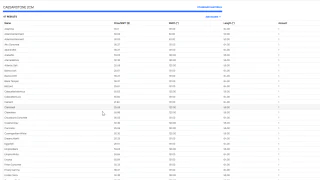
Arris Stone — material pricing and ordering
Material and labour prices connected to customer quotes, with accepted orders creating a material-ordering calendar event. This example covers pricing and order coordination.
View case studyServices
Know what is available, what is reserved and what needs ordering
Codebytes builds custom inventory software to track what you have, where it is and how much is available. Connect stock to purchases and jobs so your team can see what has been used, what is reserved and what needs ordering.
Questions about custom inventory softwareStaff can look up an item and see its quantity and location, whether it is on a shelf, in a warehouse or on a service vehicle. The records can distinguish stock available for new work from materials already reserved for another job.
As work progresses, staff can record which materials were assigned, used or returned. A change to the job can update what is still needed. Keeping those records with the job helps your team understand where materials went and what remains available.
Purchasing records can show what has been ordered, which supplier it is coming from and when it is expected. Staff can record what actually arrives, including partial deliveries, so the office and workshop can see which jobs are still waiting for materials.
Staff can scan barcodes to find an item, check its record and record stock counts, deliveries or movements. Codebytes can connect supported barcode scanners to the inventory software your team uses.
A mobile app lets people check and update stock on the sales floor or factory floor. Sales staff can check availability while helping a customer, and production staff can record materials as they use them. We plan the screens and scanning options around the phones, tablets or handheld devices your team uses.
Codebytes can build inventory software or connect the system you already use to quoting, jobs and accounting. Connections to supported scales can bring measurements into the same records. We review the programs and equipment you use before planning those connections.
Yes. We can review your spreadsheets or software exports and plan how to bring across item names, quantities and locations. Checking those records against the stock you actually have gives the new system a reliable starting point.
Yes. The system can distinguish stock that is on hand from stock already promised to a job. Staff can record what was used and release unused materials when plans change. Our inventory and jobs guide explains the difference between available, reserved and used quantities.
Yes, with supported scanners and suitable item labels. Scanning can help staff find an item and record receiving, moving or using stock. We check your devices and how staff will use them before planning the connection.
Material and labour prices connected to customer quotes, with accepted orders creating a material-ordering calendar event. This example covers pricing and order coordination.
View case studyTell me what you track and how staff record purchases, usage and returns today. I can help you plan the records and connections that would make the work easier.