
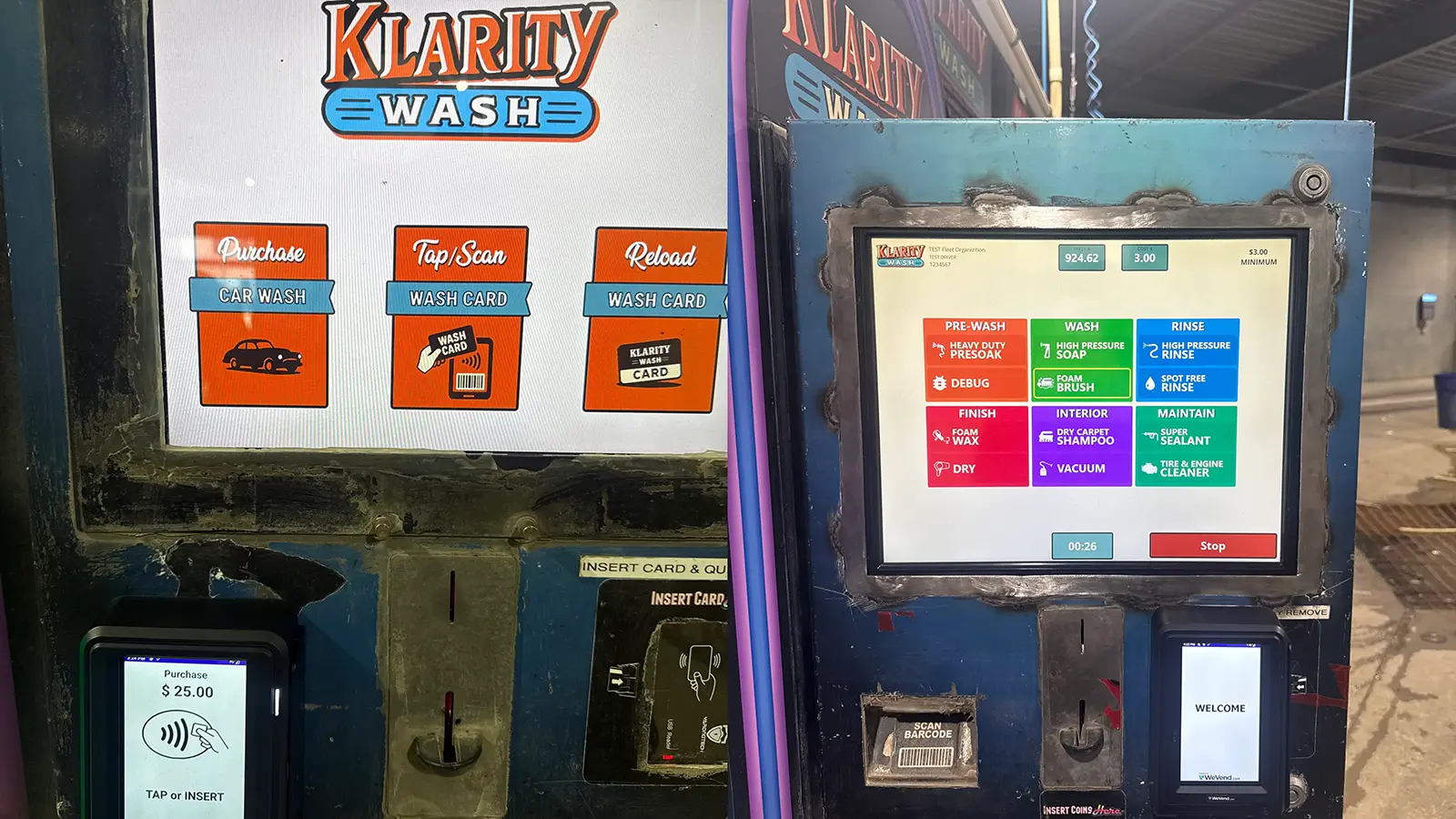
Klarity — kiosks, payments and wash controls
Windows kiosks and staff software connected to payment terminals, account records and existing car-wash controls.
View case studyServices
Connect your software and equipment
Connect software to physical equipment such as scales, barcode scanners and machinery. Capture measurements, read scanned items or control equipment as part of your business processes.
Questions about hardware integrationsEquipment can supply information your team needs to do its work. A scale can provide a weight, a scanner can identify an item and a machine can report its status. Custom software can put that information into the records and tools your staff use.
Payment machines can connect to point-of-sale software so staff can send the amount due to the terminal and see the payment result against the sale. The available connection depends on the payment provider and terminal.
Barcode scanners and card readers can help staff find a product, identify a customer account or check a membership. The software uses the scanned code to bring up the right record without someone typing it in.
Scales and measuring devices can supply readings directly to a job, order or stock record. For example, a supported scale could record the weight of an item as staff receive or prepare it.
Machinery and equipment controls can connect to software that shows operating status or lets authorized staff use supported controls. In Klarity Car Wash, software connects customer purchases to existing car-wash controls.
The connection should fit where the work happens. Staff might use a point-of-sale screen at the counter, an application on an office computer or a kiosk beside the equipment. An online staff tool can also make equipment information available to people who need it elsewhere. We plan the screens around the tasks people need to complete and the devices they use.
The starting point is the equipment itself: what it does and which connections its manufacturer supports. We review those details before agreeing what the software can access or control, including who should have access and what should happen if a connection is interrupted.
Secure access starts with deciding who should be able to see information and use each control. A cashier, supervisor and equipment operator may need different permissions. We also plan what staff see when a device is unavailable, which tasks can continue and how to confirm a payment or equipment action before trying again.
We can review the equipment and the connections its manufacturer supports. That establishes what information the software can access and whether it can control the device. The Klarity case study shows software connected to existing car-wash equipment.
Yes, where the equipment and software support the connections needed. For example, a scale reading or a barcode scan can become part of a job or stock record. We review the devices, software and access requirements together.
Yes, where your payment provider and terminal support an integration. The connection can send the sale amount to the payment machine and record the payment result in your POS software. We check your provider and terminal model before planning the work. Our payment terminal integration guide explains what to consider.
Yes. A web application can give staff secure access to equipment information and supported controls through their browser. Some equipment also needs software installed on a local computer to make the connection. We check what your devices support before recommending an approach.
Windows kiosks and staff software connected to payment terminals, account records and existing car-wash controls.
View case studyTell me what you have in mind. I can help you work out how your equipment could connect to the software your business uses.