A useful schedule starts with the work your business needs to deliver. Codebytes builds scheduling, dispatch and production tracking software around your jobs, appointments and the decisions your team makes each day.
You might need an accepted order to create its next appointments, a calendar that stays connected to job details, or a clearer way to see work waiting for a date. The starting point is what should happen in your business, and what you want to keep doing yourself.
Start with what creates the work
Does a new order create several steps, or does someone book an appointment first? What information does the person arranging the work need? Those details determine how the schedule should behave.
A calendar can be part of your existing system. Quoting, customer records and the tools that already work do not all have to be replaced.
Identify what creates a job, visit or appointment.
Decide which dates are initial targets and which have been agreed with a customer.
Keep the order, customer details and relevant notes accessible from the event.
A real example: the calendar behind Arris Stone orders
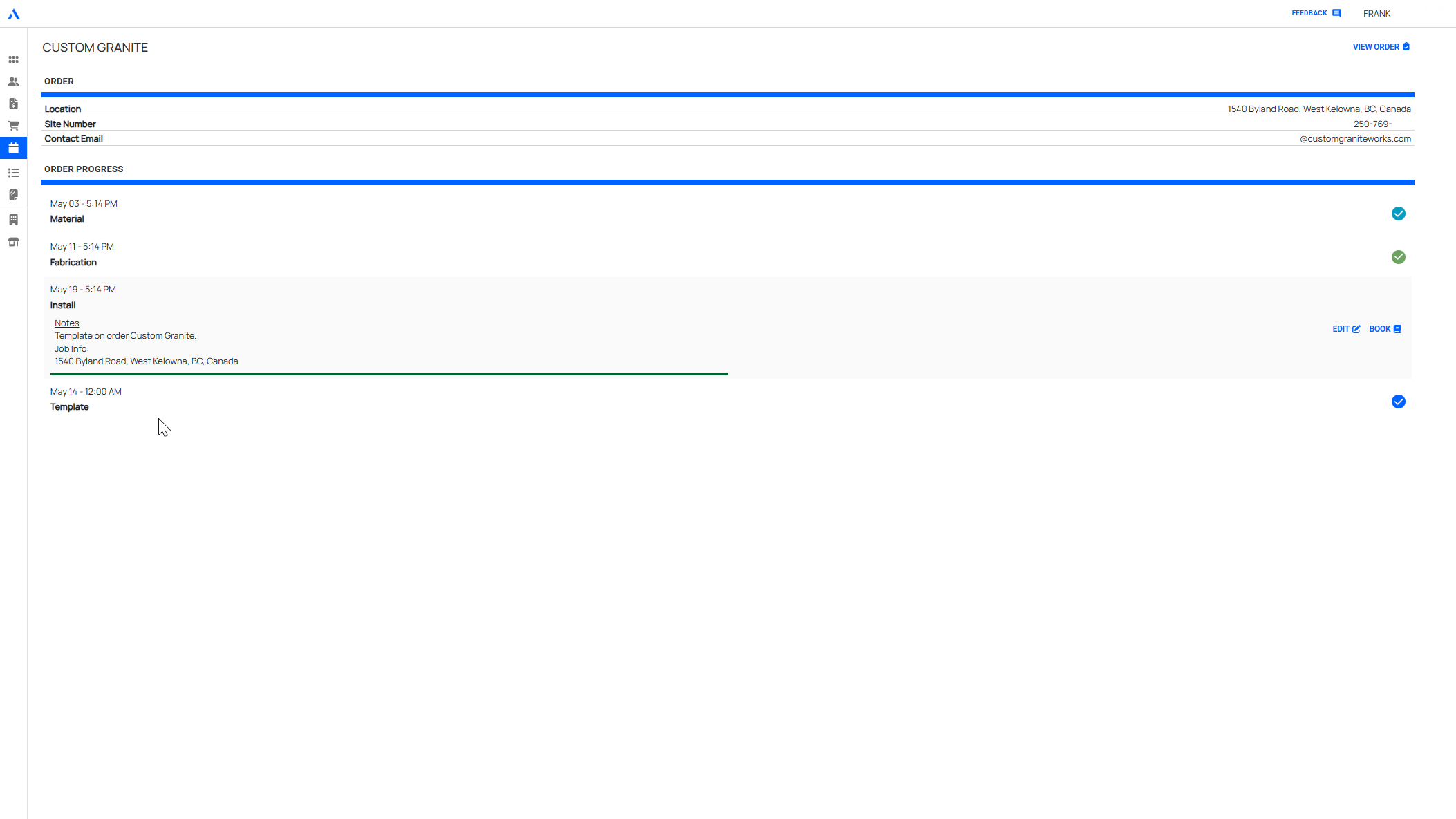
At Arris Stone, converting a quote into an order creates four events: material ordering, fabrication, templating and installation. Initial dates follow the user’s configured delivery expectations.
The owner can change the dates, arrange appointments where needed and add other appointments linked to the same order. Month, week and day views provide a familiar calendar, while an agenda groups current items by date.
The useful connection is between the order and its next steps. Staff can organize the work without creating an unrelated calendar entry for every part of the job.
Arris Stone’s calendar keeps scheduled work connected to orders.
Automate the setup and keep control of the changes
Your business can decide which events are created automatically, how their initial dates are chosen and who can change them. A target date for fabrication may be treated differently from an installation appointment agreed with a customer.
During planning, we walk through a normal job and a change: a customer moves an appointment, materials arrive late, or an extra visit is needed. We agree which changes should remain a person’s decision and which updates the software should make.
Choose the views that help people do their work
A manager may need a week of activity across the business. Someone carrying out a job may only need today’s appointments and the linked order. Calendar and agenda views can show the same work in different ways.
Dispatch boards, staff assignments, production stages and mobile updates are other possible requirements. They are scoped to the project; the Arris Stone example demonstrates order-linked events, not every form of staff allocation or route planning.
Existing scheduling products already support many calendars, job records and configurable workflows. If one handles your process well, configuring it may be enough.
Custom development becomes useful when a particular rule, working view or connection remains difficult to support. Bring an example of the work you need to coordinate and where the current approach falls short. We can explain the options, effort and tradeoffs before agreeing on what to build.
Give staff and managers a shared view of upcoming work, assigned jobs, service appointments, production plans, or dispatch lists.
Job Status
Track what is waiting, active, blocked, complete, or ready for the next step.
Mobile and Field Work
Support driver, field, or production updates from the people doing the work.
Operational Visibility
Turn job updates into reporting that helps managers understand workload, delays, output, and exceptions.
Frequently Asked Questions
Is this the same as project management software?
Not usually. Project management software is often built for general tasks. Custom scheduling or production tracking is built around the actual operational stages, staff roles, and rules of the business.
Can scheduling connect to quoting or customer portals?
Yes. Scheduling can connect to approved quotes, job records, customer requests, admin tools, driver workflows, or customer status updates when those connections support the workflow.
Ready to talk through the workflow?
Tell us what creates the work, what you want to see on the calendar and which decisions should stay with your team. You do not need a technical specification to start.